Showing posts with label Rogue program. Show all posts

Tuesday, May 27, 2014

Uninstall/Remove DoctorAntivirus Antivirus Program


DoctorAntivirus has been installed into your computer? Please take immediate actions to uninstall it. This post will show more information about DoctorAntivirus and teach you how to remove it thoroughly.

The DoctorAntivirus Information

DoctorAntivirus is classified as a rogue antivirus program which should be removed from your computer. This bogus program often uses some free programs to get into your PC secretly. As soon as it enter s your machine, it will add its files and registry keys to your system without your awareness. In order to run with your Windows, this program also makes modifications to system start-up items. When you turn on your machine and log in the operating system, this antivirus program will replace your default security protection tool and run a scan. Subsequently, this DoctorAntivirus will display many fake warnings say that there are some suspicious threats and vulnerabilities in your system. 

Remove Popular Screensavers Toolbar from IE/Chrome/Firefox


Do you know Popular Screensavers Toolbar? Can it improve your browsing experience as it claims? From this post you will get some information of this toolbar and learn how to uninstall it successfully.

Popular Screensavers Toolbar Information

Popular Screensavers Toolbar can be compatible with IE, Firefox and Chrome, but in fact this toolbar is defined as a potential unwanted program. According to some users, this program is often bundled with many free programs. A lot of system resources are taken up at a time, which directly leads to slow computer performance. Besides, this unwanted toolbar causes a great many of troubles at their browsers. Numerous commercial ads, banners, coupons and text-links are displayed. And this Popular Screensavers Toolbar removes browser default homepage and sets a new homepage which you are unfamiliar with. It is said that this toolbar often appears together with a custom search box that is powered by Ask.com.

Thursday, May 22, 2014

Uninstall/Remove FTDownloader Virus Removal Guide


What is FTDownloader?

FTDownloader is not a virus, but it is an unwanted program which can do harm to various Windows operating systems. On its official website it is described as a useful program which can help you quickly download some programs from the Internet. But the fact is not true. When you add this FTDownloader to your PC, your browser activities will be made chaotic. This program will act as a malicious adware program to show numerous commercial ads at your browser. Even, these ads can be embedded into your search result pages. When you get search results via Google search engine, you will find that hyperlinks and ads are everywhere.

How to Uninstall/Remove Optimum PC Boost Virus


Optimum PC Boost Description


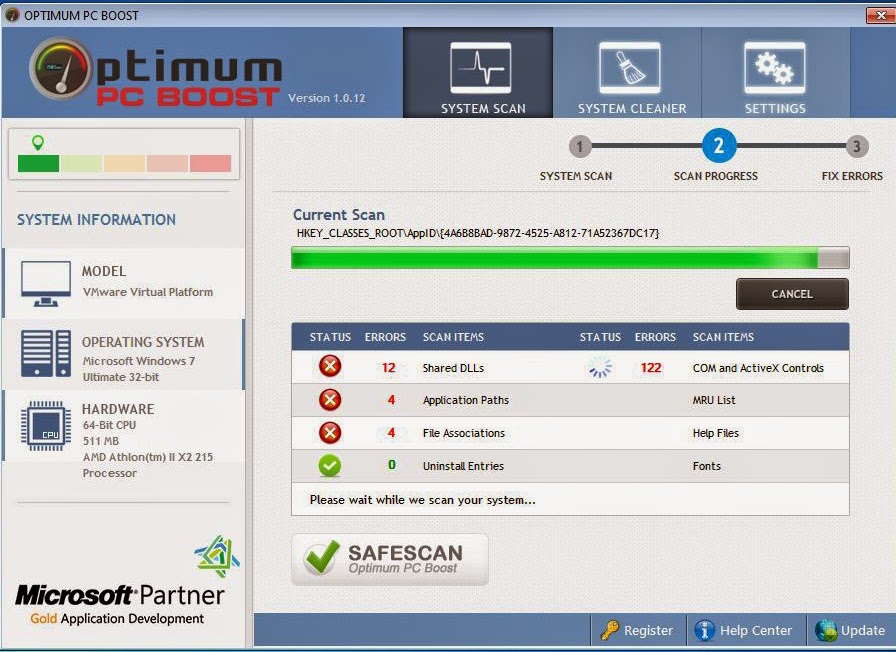
Optimum PC Boost is a rogue system optimization program which can break into your computer without your awareness. This kind of rogue program often comes together with other suspicious free programs. If you carelessly click on doubtful pop-ups at your browser, you will get this fake program installed into your Windows. Once inside, this program can replace your default antivirus program and other security protection tools. And it will add itself to system start-up items so as to run with every Windows boot-up. Every single time you log in your Windows operating system, this program always automatically reports you that there are lots of system vulnerabilities needed to be fixed. Besides, it reminds you that these system loopholes can put your PC in a bad condition. 

Wednesday, May 21, 2014

Guides to Get Rid of RebateRobot Virus


Is RebateRobot reliable and safe? In fact, it is an unwanted program can do harm to your computer. Have installed it into your PC but can’t uninstall RebateRobot? No worries. This post will show you how to delete it completely.

The Description of RebateRobot

RebateRobot is classified as an unwanted program which pretends to say it is able to improve your shopping online experience. And you are told that you will get most favorable discounts when you apply this program to online shopping activities. However, you find this program will not fulfill its promise when you add it to your PC. You start to receive tons of ads, e-coupons and rebates which almost capture the whole computer screen. And you’ll be redirected to unfamiliar shopping sites when you click these pop-ups accidentally. To be frank, the use of this RebateRobot is to help sponsors to advertise their websites and build network traffic. You should keep in mind that this unwanted program can put your machine at risk at any time.

Tuesday, May 13, 2014

How to Uninstall/Remove PC SpeedBoost


All virus alerts from PC SpeedBoost are not worth being trusted. In this post, you will know why this program should be removed and how to get rid of this program from your PC completely.

The Information of PC SpeedBoost

PC SpeedBoost is a dubious program which pretends to say that it can fix various computer problems and optimize the whole operating system. You have many annoying troubles if you install this program into your PC and set it as your default security protection tool. On the one hand, this bogus program shows loads of unreal virus warnings to scare you after it runs a scan for your system. You are informed that your machine has been infected with a bunch of unknown viruses, which will corrupt your PC and interrupt your Internet life. To clear all suspicious viruses and fix system loopholes, you need to purchase the full version of this PC SpeedBoost.

Monday, May 12, 2014

Guides to Remove/Uninstall Futurro Antivirus Software Virus


You keep receiving many virus alerts from your Futurro Antivirus Software? Is it true that your PC is infected with many viruses? In fact, your PC is controlled by Futurro Antivirus Software which can cause troubles to you.

The Description of Futurro Antivirus Software

Futurro Antivirus Software is another fake antivirus program which works in the same manner as PC Optimizer Pro. Once your computer is invaded by such rogue program, you will get many virus alerts every day. The purpose of this Futurro Antivirus Software is only to convince that your computer is infected with many hazardous viruses. To avoid worse consequences, you ought to buy its full version so as to remove all suspicious threats thoroughly. Actually, the alerts from Futurro Antivirus Software are not real. This rogue antivirua program just wants to mislead you and cheat your money. This bogus program is generally bundled with additional threats like Trojan horses, worms and ransom viruses which could destroy the whole operating system seriously.

Ways to Remove /Uninstall ImproveSpeedPC


ImproveSpeedPC is an unwanted program which will display fake security alerts about dangerous infections for the purpose of scaring you into thinking that your computer is at risk.

The Detailed Information of ImproveSpeedPC

Similar to Windows Pro Defence Kit, ImproveSpeedPC is a rogue program which promises to help users fix system vulnerabilities, clear junk files and solve various problems timely. However, it won’t act as it says before. Once you install this kind of fake program into your Windows operating system, you will have difficulty uninstalling it from your machine. No matter how many times you try, this program comes back again and again. Once inside, this fake program will install a bunch of useless and malicious programs into your machine without your awareness. Since lots of system space is taken up, your machine starts to run as slow as a snail. Besides, ImproveSpeedPC turns off your antivirus program and takes the place of it.

Saturday, March 29, 2014

Guide to Remove Windows Web Watchdog Rogue Antivirus


The Brief Description of Windows Web Watchdog

Windows Web Watchdog is a fake security protection program which is designed by hackers for messing up random computers. At the same time, hackers utilize this rogue antivirus program to collect money by an illegal way. Once inside, this rogue antivirus program will modify startup items and other system settings. When it is able to run with every Windows boot-up successfully, it will replace your former antivirus program and scan the whole operating system. However, this kind of rogue antivirus program has no ability to pick up any computer viruses in reality. Its purpose is to convince you and mislead you into a scam. When it finishes the scan, such unwanted antivirus program asks you to buy its full version so that you can clean up detected viruses. You will find that you fail to remove viruses from your PC when you make a payment. What is worse, your computer performance seems to be worse and worse. It gets stuck when you open multiple programs at the same time. And more and more system vulnerabilities show up on your Windows operating system. Even sometimes, you can’t connect to the Internet. It is no doubt that these annoying problems are caused by Windows Web Watchdog. For the sake of keeping your computer safe, you ought to take actions to uninstall this rogue program immediately.

Sunday, March 23, 2014

Permanently Uninstall/Delete Windows Antivirus Patrol Rogue Program Virus


Detailed Description of Windows Antivirus Patrol

Windows Antivirus Patrol is a fake security protection program designed by cyber criminals. Its maker often ties this malicious program to some suspicious free applications and download packages. In some cases, hackers make use of pop-up ads to distribute this kind of deceptive program to your Windows operating system such as XP, Vista and Win7/8. When the installation of Windows Antivirus Patrol comes to your PC without your awareness, your system start-up items and antivirus program settings will be altered forcibly. Subsequently, this fake antivirus program is able to run automatically each time you log in Windows OS.

Besides, Windows Antivirus Patrol replaces your disabled antivirus program and run a fake scan. In order to scare you into purchasing the latest version, Windows Antivirus Patrol shows a number of annoying false warnings saying that there are some system loopholes and threats in your system. You’d better not fall for this scam. This malicious program will steal your credit card information as soon as you make a payment online. The rogue Windows Antivirus Patrol is really hard to be uninstalled from your Windows system. The files and registry entries can hide deeply and mask as normal system files. That is why antivirus program is unable to locate them. To remove Windows Antivirus Patrol completely, you need to figure out a useful manual removal method.

Wednesday, March 19, 2014

Windows Pro Defence Kit Rogue Program Virus Detailed Removal Guide


Are you frustrated about Windows Pro Defence Kit? However, you still can’t figure out a helpful method to get rid of it. Don’t worry. This post will help you remove Windows Pro Defence Kit from your computer completely.

Windows Pro Defence Kit Information

Windows Pro Defence Kit is a fake antivirus program which can be installed onto your computer by dubious websites, annoying pop-ups and unknown free programs. In most cases, computer users are cheated by the interface of this rogue antivirus program. Though it looks like a legit protection tool, it is a potential threat in reality. Once inside, it adds its malicious files and registries to Windows system. Also, it replaces your default antivirus program and disables it without your permission. Every single time you run your Windows, Windows Pro Defence Kit starts to run a fake scan on your machine. And it keeps displaying many bogus warnings to scare you.

Get Rid of AVASoft Professional Antivirus Virus Permanently


Detailed Description of AVASoft Professional Antivirus Virus

AVASoft Professional Antivirus is a fake antivirus program created by cyber criminals to deceive computer users. Actually, this kind of rogue antivirus is distributed by Trojan viruses. Once this rogue security protection program is added to your operating system, you will receive many fake security alerts incessantly. In order to make money, this bogus antivirus program recommends you to spend money upgrading itself to the latest version. It is noticeable that the suggestion from AVASoft Professional Antivirus is a trap. Once you pay for it, you will lose your money. And these annoying security warnings still keep popping up next time you log in the Windows.

AVASoft Professional Antivirus not only cheats money but also clutters your system files. Because of rogue program, a lot of computer problems like invalid system files, unavailable programs and random shutdowns are caused. Additionally, your computer lacks a powerful protection as your former antivirus program is turned off by this pest forcibly. For this reason lots of vulnerabilities start to show up in your Windows system. Then AVASoft Professional Antivirus also opens a backdoor to extra viruses and cyber hackers. Unluckily, your computer has to suffer unprecedented attacks. As you see, AVASoft Professional Antivirus is a horrible threat to the whole operating system. We strongly advise you to uninstall it right away.

Systweak Support Dock Rogue Program Virus Manual Removal Guide


Can't uninstall Systweak Support Dock from your computer completely? Can't stop annoying security warnings from popping up? No worries. You come to the right place now. This post will show you how to uninstall it quickly.

The Characteristics of Systweak Support Dock Virus

Systweak Support Dock is defined as an unwanted system optimization tool which can be installed by questionable pop-up ads, unknown free applications and dubious websites. It is able to bypass the detection of your antivirus program with its high techniques. Once your computer is under the complete control of this fake program, a number of system files will be changed without your awareness. Also, Systweak Support Dock adds itself to start-up items so that it can run with every Windows start-up. Though this program claims that it can help you fix system vulnerabilities and error files, it is not trustworthy indeed. On the one hand, it installs many unwanted programs into your PC to reduce your system resources.

In some cases, a lack of resources often causes a slow computer performance. On the other hand, Systweak Support Dock provides you with some misleading security warnings. The goal of it is to scare you and recommend its latest version. If you are cheated by this malicious program and pay for its full version, you will be regretful. You should clear that Systweak Support Dock is a fake program which used by hackers to swindle money. As a typical rogue program, it blocks you from connecting to the Internet and uninstalling any suspicious programs. Even sometimes, it disables your system programs and web browsers. To worsen your computer badly, this program would embed extra viruses into your Windows machine. If you want to keep your computer clear, you should remove Systweak Support Dock without hesitation.

Monday, March 17, 2014

Tips to Uninstall/Remove Advanced Privacy Guard from Your PC


Advanced Privacy Guard is Dangerous


Advanced Privacy Guard is a rogue antivirus program that is constantly distributed by Trojan viruses. Normally, this rogue program injects its malicious files into your Windows so as to perform vicious activities. First of all, this parasite changes your system settings without your awareness. It also makes some modifications to antivirus software on your Windows, which will lead to negative consequences. This dangerous program is able to utilize several system vulnerabilities to spread other computer infections to your machine for further damage.

What is more, Advanced Privacy Guard is designed by remote hackers for stealing your money. Once it is installed onto your PC, it automatically scans the whole affected system and displays a bunch of false notifications. This rogue program claims that your computer unluckily gets infected with Trojan horses and other risky viruses. Then this pest suggests that you pay for its license to clean up all infections. What this pest said seems to be reasonable. However, nothing happens on your machine when you pay for a series of services from this program. Obviously, this bogus program is a trap. This bogus program just seeks to use the fake notifications to deceive you. Without hesitation, you should eliminate Advanced Privacy Guard quickly.

Guide to Uninstall/Remove Activeris AntiMalwar Rogue Antivirus


Description of Activeris AntiMalwar


Activeris AntiMalwar is a rogue program that imitates some functions of legit antivirus programs to cheat you.  This malicious program infiltrates into your system secretly and automatically scans the whole Windows operating system. In fact, it can’t pick up some computer viruses for you. But in order to scare you, this rogue program shows many false security warnings claiming that your PC has lots of vulnerabilities and computer viruses. And you are warned that potential attackers will make use of these viruses to damage your machine and steal your crucial information.

Under this circumstance, you may urgently want to clean your PC and keep safe. However, Activeris AntiMalwar continues to say that you need to pay for its full version so that it is able to help you remove threats completely. Actually, there is nothing wrong with your computer. The bogus antivirus program just aims at getting money illegally. If you fall for this scam, you will have lots of troubles. When you transfer money by your credit card, this dirty program gathers your number and password. Besides, Activeris AntiMalwar also drops unwanted viruses onto your system. To prevent this Antimalware virus from tricking your computer traces and causing damages, you need to uninstall Activeris AntiMalwar without delay.

Wednesday, March 12, 2014

Get Rid of PC Optimizer Pro Rogue Program Manually


You are plagued by PC Optimizer Pro which shows many unreliable security alerts in your system? It is unlucky that you get the installation of this rogue program. This post will show you how to uninstall it from your Windows operating system.

Detailed Information of PC Optimizer Pro

PC Optimizer Pro is a rogue program designed by cyber hackers to play havoc with target computers. This kind of rogue program often disguises itself as an antivirus program saying that it can not only protect your PC but also optimize system. Once you install this crafty pest onto your desktop, you will find that it is hard to be uninstalled.

Each time you log in your Windows operating system, PC Optimizer Pro is able to run with your machine. In order to convince you, it pretends to run a scan. However, it can not help you detect any potential threats indeed. For cheating your money, this rogue antivirus program makes a fraud. It lies that your computer is infected with many terrific viruses. To remove these threats from your PC, you need to purchase its entire version. As soon as you make a payment, you can not bet back your money any more. As a consequence, PC Optimizer Pro swindles money out of you successfully and causes great harm to the whole operating system.

Tuesday, March 11, 2014

Effectively Remove/Uninstall AnyProtect Rogue Program from XP/Vista/Win7/8


Basic Description of AnyProtect 

AnyProtect is a deceptive program that disguises itself as a backup program to cheat computer users. This program says that it is able to protect your PC well and provide you with cloud storage service. Of course, it is a paid service. However, the point is that you will loss your money if you pay for AnyProtect. This fake program can track your keystrokes to collect your credit card number and password. At the same time, this bogus program has no capability to fight against random computer viruses because it doesn't have a virus database. AnyProtect is just a malicious program created by hackers.

It is really upset that you get the installation of AnyProtect. It changes your system settings without your consent. Once you set it as your default antivirus program, your computer will be put in a dangerous condition. This program blocks you from accessing the Internet and disables certain system programs like Task Manager as well as Registry Editor. As time passes, there are lots of system loopholes appear on your PC, which might give chances to potential viruses and hackers enter your machine. It is possible that your sensitive information would be gathered and exposed. According to the characteristics of AnyProtect, we suggest that you remove it from your PC.

Monday, March 10, 2014

How to Remove/Uninstall Safe PC Cleaner Premium Rogue Program


Safe PC Cleaner Premium replaces your default antivirus program? It shows you a lot of security warnings? It asks you to purchase its full version? Watch out for Safe PC Cleaner Premium. It is just a computer parasite. From this post you will know more about Safe PC Cleaner Premium.

Why Safe PC Cleaner Premium Should Be Removed?

1) It is a rogue program created by cyber hackers.
2) It disables your antivirus program forcibly.
3) It changes the settings of your Windows.
4) It lowers computer performance.
5) It drops viruses onto Windows system.
6) It opens a backdoor to remote hackers in Windows system.

Detailed Information about Safe PC Cleaner Premium

Safe PC Cleaner Premium is a fake antivirus program that shows many unreal security warnings to scare computer users. Once this fake antivirus tool is installed onto your Windows operating system, it changes certain system settings so as to run with Windows boot-up automatically. Each time you log in your desktop, this fake antivirus program can always run a false scan. A few minutes later, this bogus antivirus program informs you that a lot of viruses are picked out in your system. To protect your machine from being worsened, it suggests that you purchase its full version to clean up these viruses.

Saturday, March 8, 2014

Completely Uninstall/Remove Windows Protection Tool Rogue Program (Manual Removal Guide)


Windows Protection Tool reports a bunch of viruses in your system? Is it trustworthy? Absolutely not! This is scam. You should know that Windows Protection Tool is a rogue program created by hackers. This post will provide you with more information about Windows Protection Tool.

Windows Protection Tool Detailed Description 

Windows Protection Tool is a rogue antivirus application that is usually installed onto random computers by Trojan horses. The interface of this rogue program looks like a legit antivirus program, but it has no a virus database indeed. For running with every Windows boot-up, this rogue program constantly alters the settings of target computers. In order to protect itself from being detected, Windows Protection Tool disables your firewall and security protection tool.

As a rogue antivirus program, Windows Protection Tool runs a scan automatically each time you log in the contaminated Windows system. A few minutes later, it shows many false security warnings to scare you. You are informed that your computer has been infected with lots of viruses like worms and Trojan horses. If you want to remove these threats from your desktop, you need to purchase its full version. This is scam! The purpose of Windows Protection Tool is to swindle money out of you.

Thursday, March 6, 2014

Windows Excelerator Pro Rogue Antivirus Removal Guide


The Symptoms of Windows Excelerator Pro

1) Windows Excelerator Pro is able to run in the system daemons.
2) Windows Excelerator Pro displays many bogus security warnings.
3) Windows Excelerator Pro shuts down your antivirus program.
4) Windows Excelerator Pro cheats your money with shady ways.
5) Windows Excelerator Pro allows viruses and hackers to enter your PC.

Brief Description of Windows Excelerator Pro

Windows Excelerator Pro is a rogue antivirus program designed by hackers to deceive a lot of computer users. Once inside, it adds its codes and files to your system. Then your antivirus program is disabled and replaced with Windows Excelerator Pro. Each time you log into your Windows operating system, this fake antivirus program runs a fake scan and provides you with unreal security warnings. The intention of this invader is to scare you. It also asks you to purchase its new-released version so that you can protect your computer well. This is a scam which seeks to cheat your money in essence. Hence, we suggest that you take steps to uninstall Windows Excelerator Pro right away.